HiTools Delivery Deployment Tool
Batch Device Deployment Tool
HiTools Delivery is Hikvision's official deployment tool. It covers everything SADP does — device search, activation and IP changes — and can also apply ONVIF, time and other settings to many devices in one go, which saves a lot of time when installing several cameras.
The installer runs in English or Simplified Chinese; the app itself can be switched to English, Traditional Chinese and other languages.
Device search and batch activation
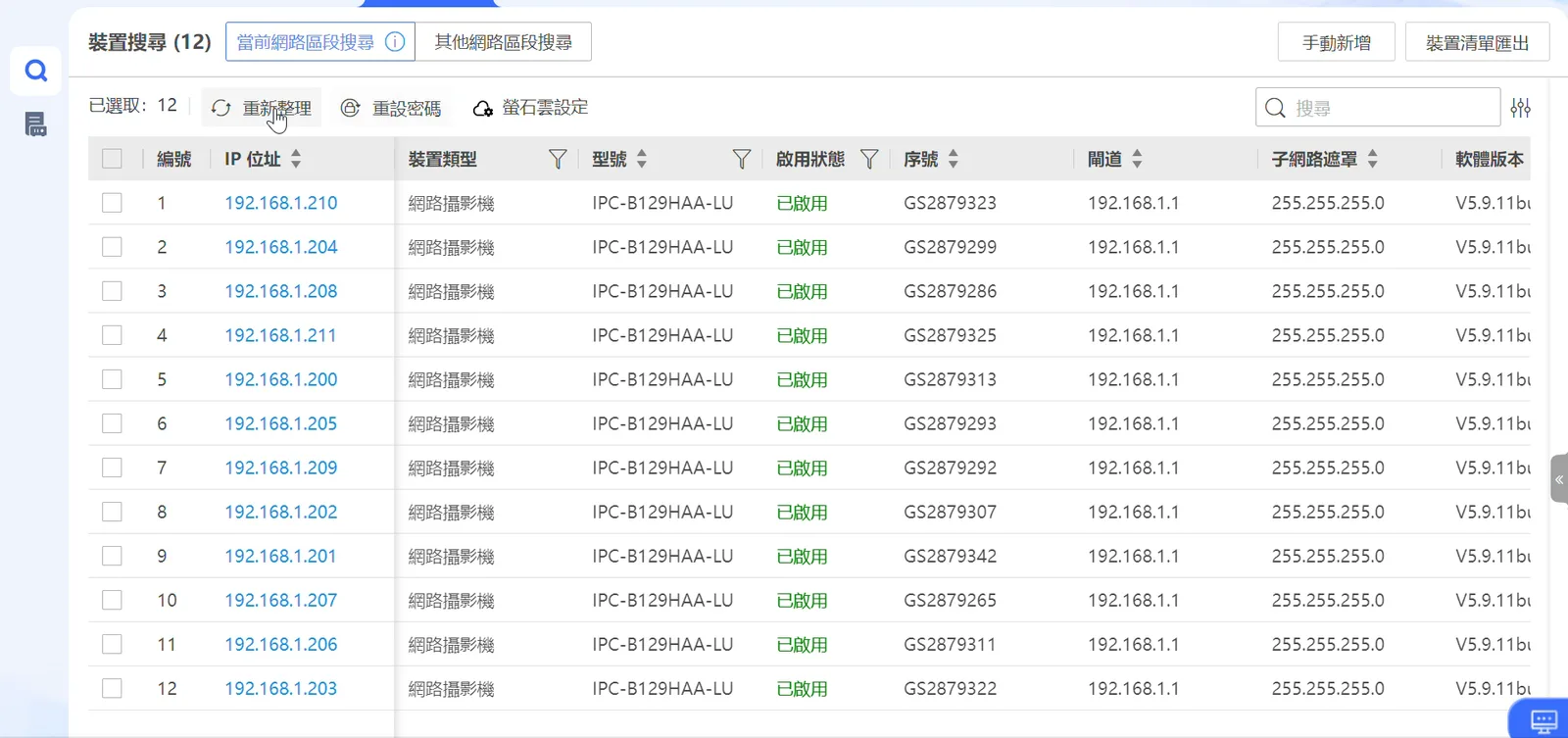
Any device on the same local network as your PC is found and listed automatically.
- One list shows each IP address, model, serial number and activation status.
- Select all new devices and set their password in one step instead of activating them one by one.
Screenshots show the Chinese-language build of the software.
Batch network parameters
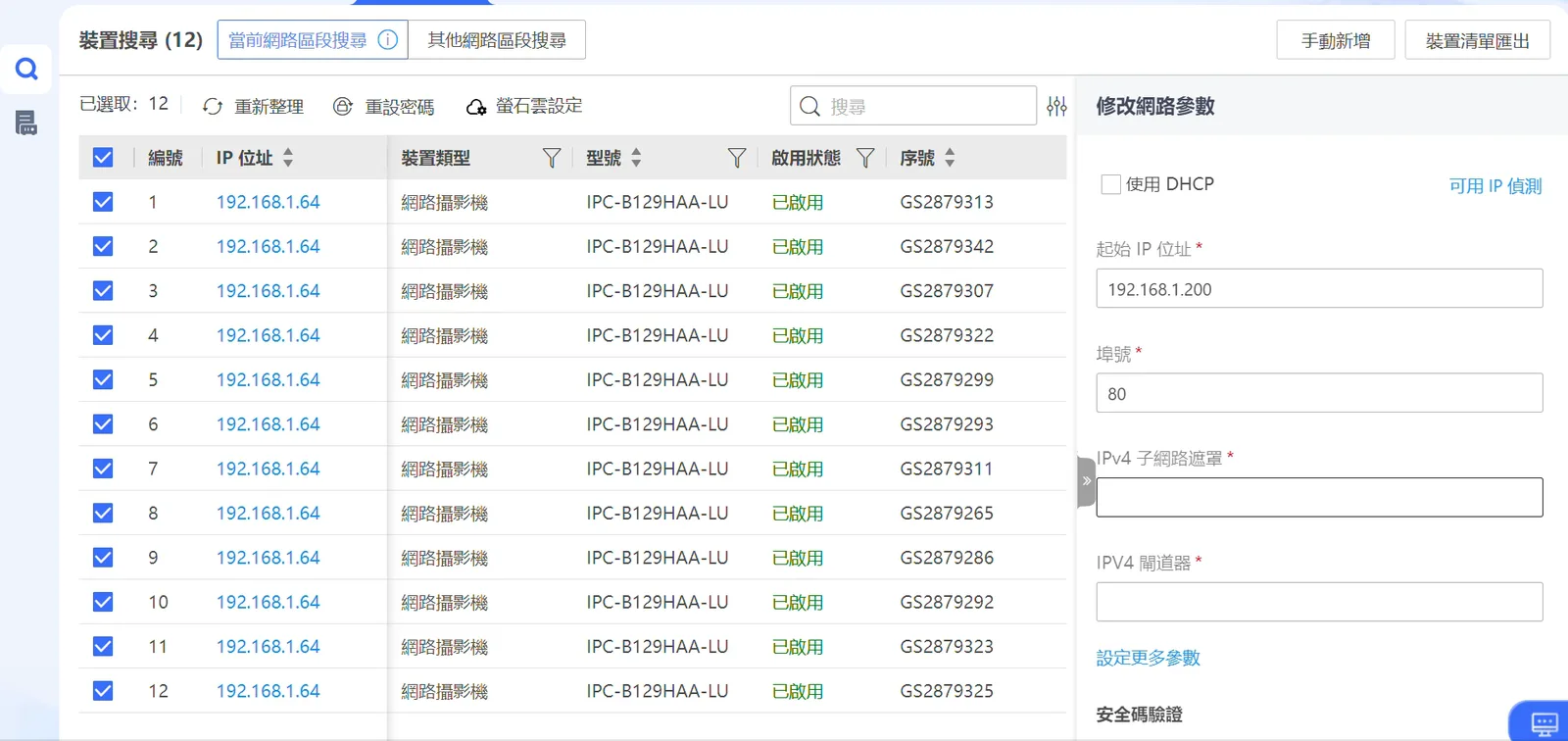
New cameras all ship with the same default IP, so they clash when connected together — assign addresses here in one go.
- Enter a start IP and the selected devices are given consecutive addresses.
- Set the subnet mask, gateway and port at the same time, or switch to DHCP.
Screenshots show the Chinese-language build of the software.
Batch configuration
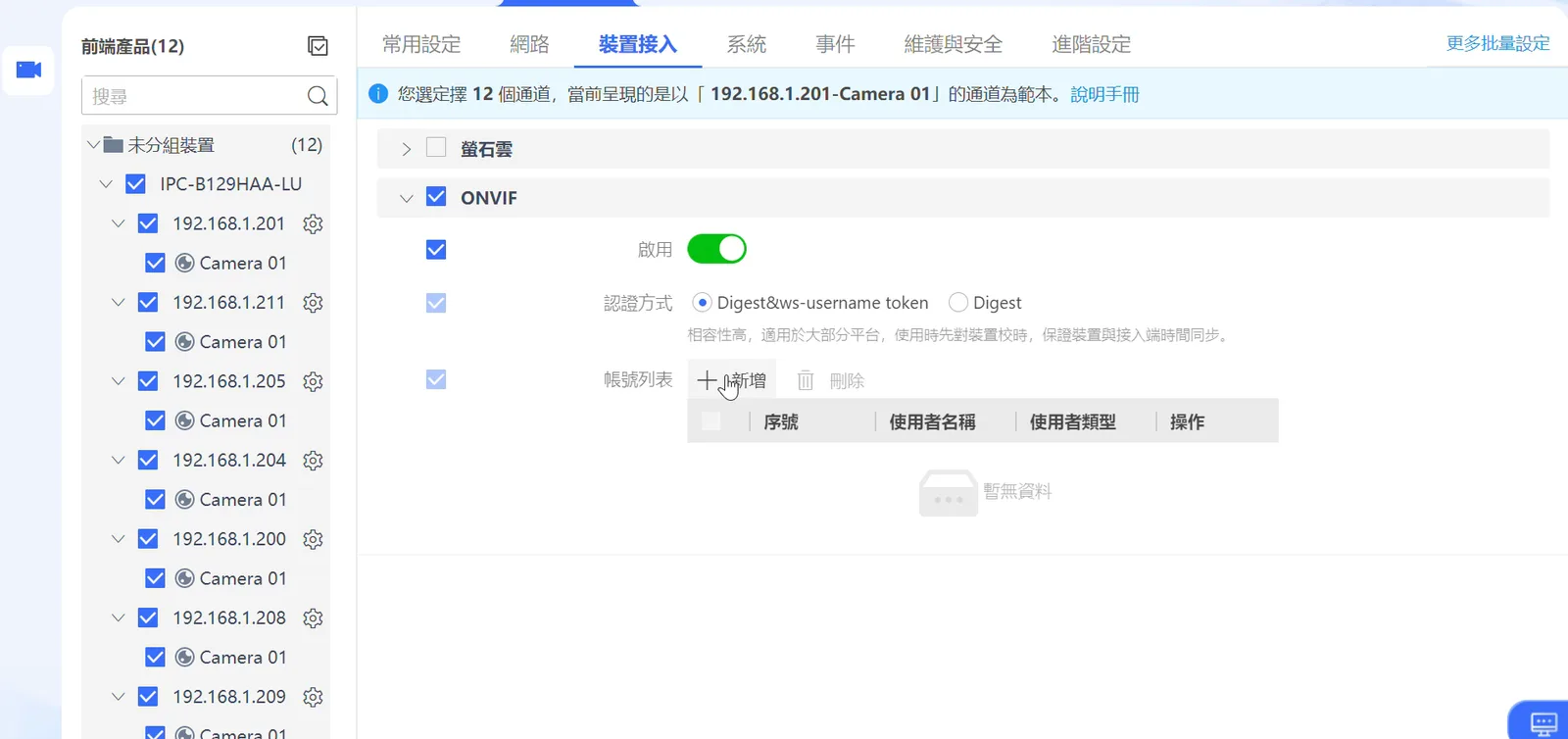
Use one device as the template and apply its settings to every selected device.
- Enable ONVIF and add an ONVIF account on every camera at once, ready for third-party recorders.
- Time, network services and other common settings can be applied in batches too.
Screenshots show the Chinese-language build of the software.
Maintenance
Routine maintenance works in batches as well.
- Batch firmware upgrades.
- Batch password changes.
Why use this tool?
- Includes SADP: search, activation and IP changes in one application.
- Batch operations: configure dozens of devices at once and cut installation time.
- Multilingual interface, including English.
Need more help?
For technical questions or further support, get in touch with our team