HiLook SADP Device Search and Configuration Tool
Search Active Devices Protocol
SADP is an essential utility for HiLook network products. Whether you are an installer or an end user, it finds devices on the local network, activates them and configures their network parameters. Currently available in English and Simplified Chinese.
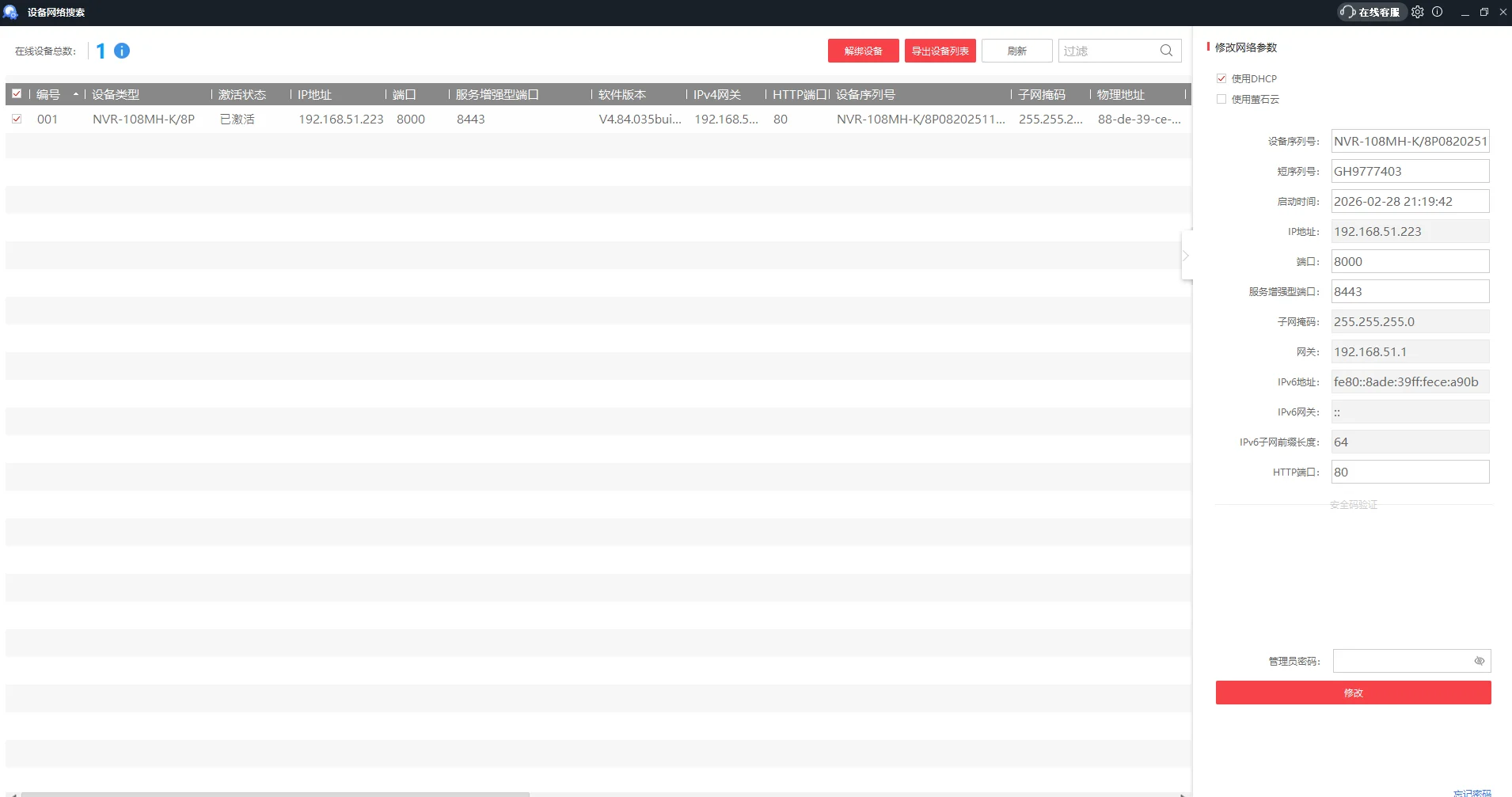
Device discovery
It does not matter what IP a device currently has, or whether it has been activated — if it is on the same subnet, SADP finds it and lists it.
- Full subnet scan: devices are detected even when unactivated, or on a different subnet from your PC.
- Clear at a glance: model, IP address and activation status all in one list.
Screenshots show the Chinese-language build of the software.
Device activation
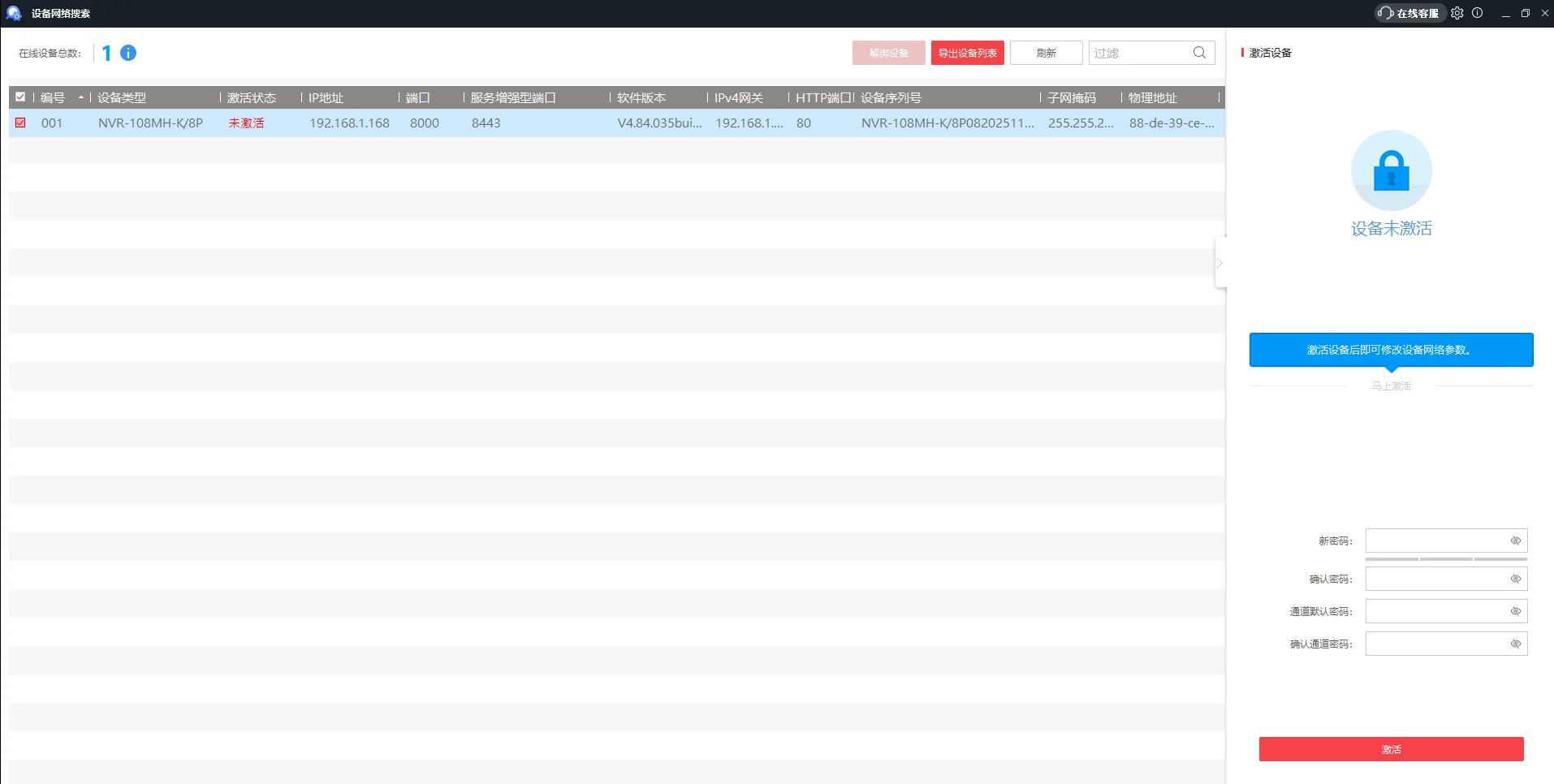
A safe, quick activation flow for devices straight out of the box.
- Mandatory password: every network-capable HiLook device must be given an activation password through SADP before it can be used.
- Batch operations: activate several selected devices at once.
Screenshots show the Chinese-language build of the software.
Network parameter configuration
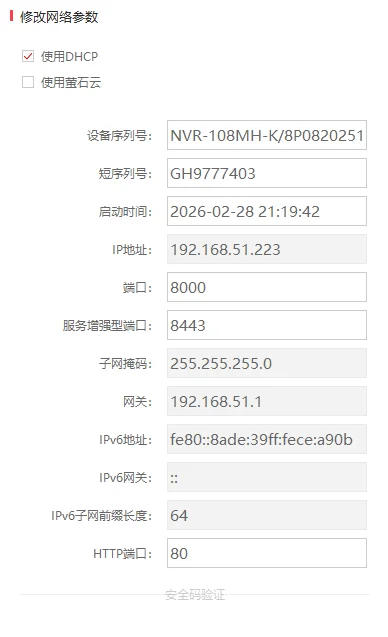
Set device IP addresses to fit whatever network they are going into.
- Static IP: enter the IP address, subnet mask and gateway by hand.
- DHCP: if there is a router on site, enable DHCP and let the device pick up an address automatically.
Screenshots show the Chinese-language build of the software.
Password reset
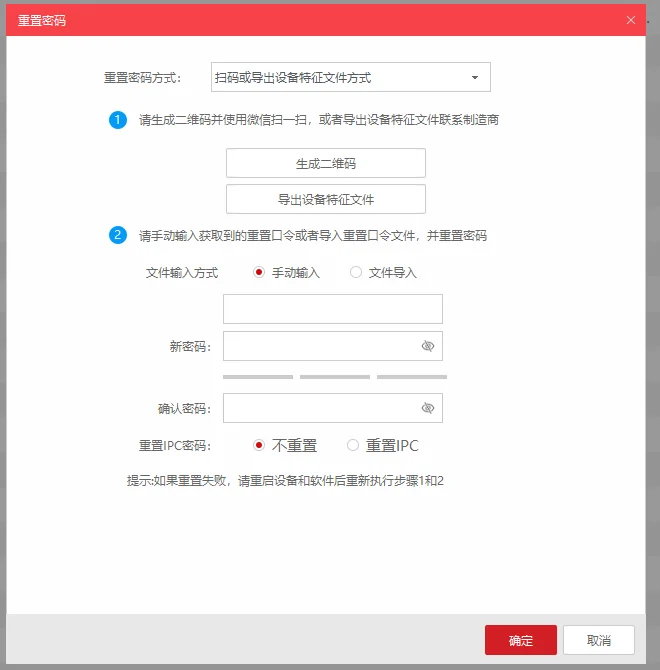
If you have lost a device password, SADP is the only official recovery route, using a standard verification process to get you back in.
- Generate verification data: produce a QR code or export an XML key file.
- Send it to support: pass that data to HiLook technical staff.
- Reset: enter the code they return, or import the key file, and set a new password.
Screenshots show the Chinese-language build of the software.
Why use this tool?
- Essential: recommended alongside every HiLook product with a network port.
- Faster commissioning: cuts the time spent finding devices and doing basic setup.
- Official channel: the safest route for password reset and activation.
Need more help?
For technical questions or further support, get in touch with our team